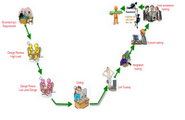
Download the sample Defect sheet
Showing posts with label Manual Testing. Show all posts
Software Bug / Defect Life Cycle
Web Application Testing
Web application is tested in 3 phase
Web tier testing—Browser compatibility.
Middle tier testing—Functionality, security.
Data base tier testing—Database integrity, contents.
Types
1) Functionality Testing
2) Usability testing
3) Interface testing
4) Compatibility testing
5) Performance testing
6) Security testing
1) Functionality Testing
This is used to check of your product is as per the specifications you intended for it as well as the functional requirements you charted out for it in your developmental documentation.Testing Activities Included
Test all links in your webpages are working correctly and make sure there are no broken links.
Outgoing links
Internal links
Anchor Links
Mail To Links
Test Forms are working as expected :Forms are the integral part of any web site. Forms are used to get information from users and to keep interaction with them. So what should be checked on these forms?
First check all the validations on each field.
Check for the default values of fields.
Wrong inputs to the fields in the forms.
Options to create forms if any, form delete, view or modify the forms
Database testing:
Data consistency is very important in web application. Check for data integrity and errors while you edit, delete, modify the forms or do any DB related functionality.
Check if all the database queries are executing correctly, data is retrieved correctly and also updated correctly. More on database testing could be load on DB, we will address this in web load or performance testing below
Test Cookies are working as expected. Cookies are small files used by websites to primarily remember active user sessions so you do not to log in every time you visit a website. Cookie Testing will include Testing cookies (sessions) are deleted either when cache is cleared or when they reach their expiry. Delete cookies (sessions) and test that login credentials are asked for when you next visit the site.
2) Usability Testing:
Test for navigation:
Navigation means how the user surfs the web pages, different controls like buttons, boxes or how user using the links on the pages to surf different pages.
Usability testing includes:
Web site should be easy to use. Instructions should be provided clearly. Check if the provided instructions are correct means whether they satisfy purpose.
Main menu should be provided on each page. It should be consistent.
Content checking:
Content should be logical and easy to understand. Check for spelling errors. Use of dark colors annoys users and should not be used in site theme. You can follow some standards that are used for web page and content building. These are common accepted standards like as I mentioned above about annoying colors, fonts, frames etc.
Content should be meaningful. All the anchor text links should be working properly. Images should be placed properly with proper sizes.
These are some basic standards that should be followed in web development. Your task is to validate all for UI testing
3) Interface Testing:
The main interfaces are:
Web server and application server interface
Application server and Database server interface.
Check if all the interactions between these servers are executed properly. Errors are handled properly. If database or web server returns any error message for any query by application server then application server should catch and display these error messages appropriately to users. Check what happens if user interrupts any transaction in-between? Check what happens if connection to web server is reset in between
4) Compatibility Testing:
Compatibility of your web site is very important testing aspect. See which compatibility test to be executed:
Browser compatibility
Operating system compatibility
Mobile browsing
Printing options
Browser compatibility:
In my web-testing career I have experienced this as most influencing part on web site testing.
Some applications are very dependent on browsers. Different browsers have different configurations and settings that your web page should be compatible with. Your web site coding should be cross browser platform compatible. If you are using java scripts or AJAX calls for UI functionality, performing security checks or validations then give more stress on browser compatibility testing of your web application.
Test web application on different browsers like Internet explorer, Firefox, Netscape navigator, AOL, Safari, Opera browsers with different versions.
OS compatibility:
Some functionality in your web application is may not be compatible with all operating systems. All new technologies used in web development like graphics designs, interface calls like different API’s may not be available in all Operating Systems.
Test your web application on different operating systems like Windows, Unix, MAC, Linux, Solaris with different OS flavors.
Mobile browsing:
This is new technology age. So in future Mobile browsing will rock. Test your web pages on mobile browsers. Compatibility issues may be there on mobile.
Printing options:
If you are giving page-printing options then make sure fonts, page alignment, page graphics getting printed properly. Pages should be fit to paper size or as per the size mentioned in printing option.
5) Performance testing:
Web application should sustain to heavy load. Web performance testing should include:
Web Load Testing
Web Stress Testing
Test application performance on different internet connection speed.
In web load testing test if many users are accessing or requesting the same page. Can system sustain in peak load times? Site should handle many simultaneous user requests, large input data from users, Simultaneous connection to DB, heavy load on specific pages etc.
Stress testing: Generally stress means stretching the system beyond its specification limits. Web stress testing is performed to break the site by giving stress and checked how system reacts to stress and how system recovers from crashes.
Stress is generally given on input fields, login and sign up areas.
In web performance testing web site functionality on different operating systems, different hardware platforms is checked for software, hardware memory leakage errors,
6) Security Testing:
Following are some test cases for web security testing:
Test by pasting internal URL directly into browser address bar without login. Internal pages should not open.
Labels:
Manual Testing
General Automation Process In Real Time
1. Requirement Gathering.
In this stage Test Engineers will collect the requirement documents and review the documents and they analyse the documents from where to automate it.
2.Identify the Best tool to fit.
In this stage Test engineers will analyse which tool is the best to automate the application.
3.Proof of Concept
Here Test engineers will give a proof how to automate the software to the client.
Some times client may give end to end scenarios or we may add end-to-end scenarios.
4.Feasibility Analysis
It is detailed study of the requirements in order to check whether all the requirements are possible are not.
Test Engineers will check where to automate the application and for example cmd prompt test cases will not be automated.
5.Estimation
*Based on Man hours we calculate Man days
6.Frame works
There are different types of frame works and test lead will decide the best frame work for the software.
Frame works are Keyword Frame work, Linear Frame work, Modular Frame work, Data driven Frame work, Hybrid Frame Work.
7.Develop Automation Scripts
Here the Test Engineers will develop the scripts by Knowing the requirement document, when the build is released then they debug the scripts and execute it
8.Failure Analysis
Here we should plot the data how it is failed
Why the script is failing?
Reasons for failures
Data issues
Application may synchronise
Object identification Issues
Run time errors,Defects
9.Defect Tracking
Test Engineers will track the defect where it is failed.
10.Publish Results
We should give proper Reason where it is failed and in which part it is effecting.
Labels:
Manual Testing
CMM(Capability Maturity Model)
The Capability Maturity Model (CMM), also known as the Software CMM (SW-CMM), was first described by Watts Humphrey in his book Managing the Software Process. The CMM is a process model based on software best-practises effective in large-scale, multi-person projects.
The CMM has been retired and not been updated in over 10 years. CMM has been superseded by CMMI (Capability Maturity Model Integration).
The CMM has been used to assess the maturity levels of organisation areas as diverse as software engineering, system engineering, project management, risk management, system acquisition, information technology (IT) or personnel management, against a scale of five key processes, namely: Initial, Repeatable, Defined, Managed and Optimised.
CMM was developed by the Software Engineering Institute (SEI) at Carnegie Mellon University in Pittsburgh. It has been used extensively for avionics software and government projects around the world.
Currently, some government departments require software development contract organisations to achieve and operate at a level-3 standard Maturity model
The Capability Maturity Model (CMM) is a way to develop and refine an organization's processes. The first CMM was for the purpose of developing and refining software development processes. A maturity model is a structured collection of elements that describe characteristics of effective processes. A maturity model provides:
- a place to start the benefit of a community’s prior experiences
- a common language and a shared vision
- a framework for prioritising actions
- a way to define what improvement means for your organization.
- A maturity model can be used as a benchmark for assessing different organizations for equivalent comparison. The model describes the maturity of the company based upon the project the company is handling and the related clients
- Levels of the CMM
At maturity level 1, processes are usually ad hoc, and the organization usually does not provide a stable environment. Success in these organizations depends on the competence and heroics of the people in the organization, and not on the use of proven processes. In spite of this ad hoc, chaotic environment, maturity level 1 organizations often produce products and services that work; however, they frequently exceed the budget and schedule of their projects.
Maturity level 1 organizations are characterised by a tendency to over commit, abandon processes in the time of crisis, and not be able to repeat their past successes again.
Level 1 software project success depends on having high quality people
Level 2 - Repeatable [Managed]
At maturity level 2, software development successes are repeatable. The processes may not repeat for all the projects in the organization. The organization may use some basic project management to track cost and schedule.
Process discipline helps ensure that existing practises are retained during times of stress. When these practises are in place, projects are performed and managed according to their documented plans.
Project status and the delivery of services are visible to management at defined points (for example, at major milestones and at the completion of major tasks).
Basic project management processes are established to track cost, schedule, and functionality. The minimum process discipline is in place to repeat earlier successes on projects with similar applications and scope. There is still a significant risk of exceeding cost and time estimates
Level 3 - Defined
The organization’s set of standard processes, which are the basis for level 3, are established and improved over time. These standard processes are used to establish consistency across the organization. Projects establish their defined processes by applying the organization’s set of standard processes, tailored, if necessary, within similarly standardised guidelines.
The organization’s management establishes process objectives for the organization’s set of standard processes, and ensures that these objectives are appropriately addressed.
A critical distinction between level 2 and level 3 is the scope of standards, process descriptions, and procedures. At level 2, the standards, process descriptions, and procedures may be quite different in each specific instance of the process (for example, on each particular project). At level 3, the standards, process descriptions, and procedures for a project are tailored from the organization’s set of standard processes to suit a particular project or organisational unit
Level 4 - Quantitatively Managed
Using precise measurements, management can effectively control the software development effort. In particular, management can identify ways to adjust and adapt the process to particular projects without measurable losses of quality or deviations from specifications. Organisations at this level set quantitative quality goals for both software process and software maintenance. Sub processes are selected that significantly contribute to overall process performance. These selected sub processes are controlled using statistical and other quantitative techniques. A critical distinction between maturity level 3 and maturity level 4 is the predictability of process performance. At maturity level 4, the performance of processes is controlled using statistical and other quantitative techniques, and is quantitatively predictable. At maturity level 3, processes are only qualitatively predictable
Level 5 - Optimising
Maturity level 5 focuses on continually improving process performance through both incremental and innovative technological improvements. Quantitative process-improvement objectives for the organization are established, continually revised to reflect changing business objectives, and used as criteria in managing process improvement. The effects of deployed process improvements are measured and evaluated against the quantitative process-improvement objectives. Both the defined processes and the organization’s set of standard processes are targets of measurable improvement activities.
Process improvements to address common causes of process variation and measurably improve the organization’s processes are identified, evaluated, and deployed
Six Sigma
Six Sigma is a disciplined, data-driven approach and methodology for eliminating defects (driving towards six standard deviations between the mean and the nearest specification limit) in any process -- from manufacturing to transactional and from product to service.
The fundamental objective of the Six Sigma methodology is the implementation of a measurement-based strategy that focuses on process improvement and variation reduction through the application of Six Sigma improvement projects. This is accomplished through the use of two Six Sigma sub-methodologies:
DMAIC
The Six Sigma DMAIC process (define, measure, analyse
DMADV
The Six Sigma DMADV process (define, measure, analyse, design, verify) is an improvement system used to develop new processes or products at Six Sigma quality levels. It can also be employed if a current process requires more than just incremental improvement.
Labels:
Manual Testing
The key to productive qa testing
It is crucial to recognise that all testing will be conducted by comparing the final product to the product’s set requirements; therefore, product requirements must state all functionality of the software and must be updated as changes are made. Any functionality that does not meet the requirements will be recorded as a defect until resolution is delivered.
Twelve Types of QA Testing
1. Unit testing (conducted by Development)
Unit test case design begins after a technical review approves the high level design. The unit test cases shall be designed to test the validity of the program's correctness. White box testing is used to test the modules and procedures that support the modules. The white box testing technique ignores the function of the program under test and focuses only on its code and the structure of that code. To accomplish this, a statement and condition technique shall be used. Test case designers shall generate cases that not only cause each condition to take on all possible values at least once, but that cause each such condition to be executed at least once. In other words:
Each decision statement in the program shall take on a true value and a false value at least once during testing.
Each condition shall take on each possible outcome at least once during testing.
2. Configuration Management
The configuration management team prepares the testing environment
3. Build Verification
When a build has met completion criteria and is ready to be tested, the QA team runs an initial battery of basic tests to verify the build.
If the build is not testable at all, then the QA team will reject the build
If portions of the website are testable and some portions are not yet available, the project manager, technical lead and QA team will reassign the build schedule and deliverable dates.
If all portions of the build pass for testing, the QA team will proceed with testing.
4. Integration Testing
Integration testing proves that all areas of the system interface with each other correctly and that there are no gaps in the data flow. The final integration test proves that the system works as an integrated unit when all the fixes are complete.
5. Functional Testing
Functional testing assures that each element of the application meets the functional requirements of the business as outlined in the requirements document/functional brief, system design specification, and other functional documents produced during the course of the project (such as records of change requests, feedback, and resolution of issues).
6. Non-functional Testing (Performance Testing)
Non-functional testing proves that the documented performance standards or requirements are met. Examples of testable standards include response time and compatibility with specified browsers and operating systems.
If the system hardware specifications state that the system can handle a specific amount of traffic or data volume, then the system will be tested for those levels as well.
7. Defect Fix Validation
If any known defects or issues existed during development, QA tests specifically in those areas to validate the fixes.
8. Ad Hoc Testing
This type of testing is conducted to simulate actual user scenarios. QA engineers simulate a user conducting a set of intended actions and behaving as a user would in case of slow response, such as clicking ahead before the page is done loading, etc.
9. Regression Testing
Regression testing is performed after the release of each phase to ensure that there is no impact on previously released software. Regression testing cannot be conducted on the initial build because the test cases are taken from defects found in previous builds.
Regression testing ensures that there is an continual increase in the functionality and stability of the software.
10. Error Management
During the QA testing work flow, all defects will be reported using the error management work flow.
Regular meetings will take place between QA, system development, interface development and project management to discuss defects, priority of defects, and fixes.
11. QA Reporting
QA states the results of testing, reports outstanding defects/known issues, and makes a recommendation for release into production.
12. Release into production
If the project team decides that the build is acceptable for production, the configuration management team will migrate the build into production.
Labels:
Manual Testing
Quality assurance testing lifecycle
QA Testing
Software testing verifies that the software meets its requirements and that it is complete and ready for delivery.
Objectives of QA Testing
- Assure the quality of client deliverable.
- Design, assemble, and execute a full testing life cycle.
- Confirm the full functional capabilities of the final product.
- Confirm stability and performance (response time, etc.) of the final product.
- Confirm that deliverable meet client expectations/requirements.
- Report, document and verify code and design defects.
Prior to conducting formal software testing, QA develops testing documentation (including test plans, test specifications, and test procedures) and reviews the documentation for completeness and adherence to standards. QA confirms that:
- The test cases are testing the software requirements in accordance with test plans.
- The test cases are verifiable.
- The correct or "advertised" version of the software is being tested (by QA monitoring of the Configuration Management activity).
The Key to Productive QA Testing
It is crucial to recognize that all testing will be conducted by comparing the final product to the product’s set requirements; therefore, product requirements must state all functionality of the software and must be updated as changes are made. Any functionality that does not meet the requirements will be recorded as a defect until resolution is delivered.
Twelve Types of QA Testing
1. Unit testing (conducted by Development)
Unit test case design begins after a technical review approves the high level design. The unit test cases shall be designed to test the validity of the program's correctness. White box testing is used to test the modules and procedures that support the modules. The white box testing technique ignores the function of the program under test and focuses only on its code and the structure of that code. To accomplish this, a statement and condition technique shall be used. Test case designers shall generate cases that not only cause each condition to take on all possible values at least once, but that cause each such condition to be executed at least once. In other words:
- Each decision statement in the program shall take on a true value and a false value at least once during testing.
- Each condition shall take on each possible outcome at least once during testing.
- The configuration management team prepares the testing environment
When a build has met completion criteria and is ready to be tested, the QA team runs an initial battery of basic tests to verify the build.
- If the build is not testable at all, then the QA team will reject the build
- If portions of the website are testable and some portions are not yet available, the project manager, technical lead and QA team will reassign the build schedule and deliverable dates.
- If all portions of the build pass for testing, the QA team will proceed with testing
- Integration testing proves that all areas of the system interface with each other correctly and that there are no gaps in the data flow. The final integration test proves that the system works as an integrated unit when all the fixes are complete.
- Functional testing assures that each element of the application meets the functional requirements of the business as outlined in the requirements document/functional brief, system design specification, and other functional documents produced during the course of the project (such as records of change requests, feedback, and resolution of issues).
- Non-functional testing proves that the documented performance standards or requirements are met. Examples of testable standards include response time and compatibility with specified browsers and operating systems.
- If the system hardware specifications state that the system can handle a specific amount of traffic or data volume, then the system will be tested for those levels as well.
- If any known defects or issues existed during development, QA tests specifically in those areas to validate the fixes.
- This type of testing is conducted to simulate actual user scenarios. QA engineers simulate a user conducting a set of intended actions and behaving as a user would in case of slow response, such as clicking ahead before the page is done loading, etc.
- Regression testing is performed after the release of each phase to ensure that there is no impact on previously released software. Regression testing cannot be conducted on the initial build because the test cases are taken from defects found in previous builds.
- Regression testing ensures that there is an continual increase in the functionality and stability of the software.
- During the QA testing workflow, all defects will be reported using the error management workflow.
- Regular meetings will take place between QA, system development, interface development and project management to discuss defects, priority of defects, and fixes.
- QA states the results of testing, reports outstanding defects/known issues, and makes a recommendation for release into production.
- If the project team decides that the build is acceptable for production, the configuration management team will migrate the build into production.
Labels:
Manual Testing
Configuration Management
The configuration management (CM) team is responsible for maintaining the validity of code as it moved from one environment to the next. The CM team takes part in the development workflow every time there is a change of code status. For example, when a software build phase is completed and ready to be tested, the code must be moved from the development environment to testing environment. This task belongs to the CM team.
CM follows a controlled workflow to promote and deploy all code. Additionally, CM is responsible for maintaining all source control databases (SCD) and the standards and processes related to SCD.
Objectives and Benefits
- Improve the complete software development and maintenance cycle.
- Make QA testing easier, reliable, and effective.
- Remove error-prone steps from product release management.
- Support and ease the challenges of change management and defect tracking.
- Improve the quality and validity of code through version control.
- Provide code roll-back if necessary, or trace related code components.
- Maintain a history of code changes (who, what, when and why).
The CM team provides the following services throughout the course of product development and deployment:
- Implement and maintain version control in development and testing environments.
- Prepare and configure QA servers per the specifications provided by system designers.
- Move code into the testing environment (servers and SCD) and establish the initial (or “baseline”) code base.
- Give the go-ahead to QA to commence testing after the code is moved.
- Simplified CM Workflow
- CM’s role in software development and deployment may be summarized as follows:
- In preparation for QA testing, CM moves all labeled files from the development SCD to the QA servers and the QA SCD, where they are labeled again.
- During QA testing, CM moves all new builds and defect fixes to the QA SCD and QA servers and labels them.
- When the files are approved, CM labels and moves them from the QA SCD into the production staging servers.
- Upon approval from project management and QA, CM promotes the final code base to production servers for deployment.
- Any defect fixes or enhancements after the initial build will also be deployed following the above steps.
- QA audits all CM functions for adherence to CM plans and procedures and prepares reports of its findings. QA reviews the CM plans for compliance with software CM policies and verifies that the plans include follow-up for defects.
- The CM functions monitored and audited by QA include baseline control, configuration identification, and configuration control. QA assures that:
- Baselines are established and consistently maintained for use in subsequent baseline development and control.
- Approved changes to baseline software are made properly and consistently in all products, and no unauthorized changes are made.
Labels:
Manual Testing
Testing Roles and Responsibilities
Senior Test Leads’ roles include the following:
Senior Test Leads
- Lead a team of test leads on multiple projects including:
- Supervise test leads and assist with test lead tasks as appropriate.
- Verify all projects are smoke, build, and regression tested on release build.
- Verify all projects have undergone at least two complete cycles of testing (all test cases executed) for the alpha and final release testing milestones.
- Verify test plans and other test documentation is prepared.
- Act as Test Lead on larger projects.
- Monitor releases and builds going out to production and track production bugs over time.
- Provide test documentation and reports to test and project management as required.
- Train and Mentor test leads. Verify all appropriate testing deliverable are met including:
- Weekly Roll-up Status Reports
- Test Schedules and requirements for test staffing.
- Test Environment prepared & maintained.
- Risk and Quality Assessments in conjunction with project test lead
- Final Release “Certification” Report
- Post Mortem Reports in conjunction with project test lead
- CD’s and Testing Manual of the project in conjunction with project test lead Provide the following services to Project Management
- Non team based sanity check for all software going out to production.
- Provide all above documentation
- Training, hiring, and mentoring for all contract test staff.
- Quality feedback for use in go/no go meetings and roll outs
- Make sure testing is on schedule and identify and work with project management to fix test issues that are delaying implementation Test Leads
Lead a team of testers on a project including:
- Supervise testers and allocate testing tasks to appropriate testers.
- Verify all test cases assigned to testers are executed.
- Verify all test cases assigned to testers are designed properly.
- Verify all bugs are put into bug tracking system.
- Verify all bugs marked resolved are regressed by the proper testers.
Weekly Status Reports
- Test Plans
- Test Schedules
- Bug tracking & TCM are setup
- Requirements for staffing, back end testing, and automation testing are identified.
- Test Cases
- Test Environment prepared & Maintained
- Bug Tracking & TCM Reports
- Build Acceptance Reports or Certification Reports
- Risk and Quality Assessments in conjunction with Senior test lead
- Post Implementation Reports in conjunction with Senior test lead
- CD’s and Testing Manual of the project in conjunction with Senior test lead
- Act as member of core project team
- Provide the following services to Project Management
- Setup and run Bug Triages (Bug Review Meetings, minimum of weekly meeting once in development)
- Provide all above documentation
- Maintain bug tracking system, TCM, and the Test Environment
- Provide quality feedback for go/no go meetings and rollouts
Test Specialists roles include the following:
- Execute all assigned test cases.
- Design and prioritize test cases.
- Put bugs into bug tracking system.
- Retest resolved bugs on each release.
- Regresses existing bugs on previous software builds or alternate database/server configurations.
- Assist the test lead with test lead duties as needed.
- Provide feedback in Bug triages.
- Assist with preparation of test plans.
Automate test cases.
- Test SQL Interfaces and have a working knowledge of SQL.
- Run Smoke tests.
- Build code from Source Safe or other Version Control utility.
- Run Build Acceptance tests on any code.
Labels:
Manual Testing
Difference between Priority and Severity
Sr.
|
Priority
|
Severity
|
1
|
It
is associated with schedule to resolve e.g. out of many issues to be
tackled, which one should be addressed first by the order of its
importance or urgency.
|
It is associated with benchmark quality or adherence to standard. It reflects harshness of a quality expectation.
|
2
|
Is largely related to Business or Marketing aspect. It is a pointer towards the importance of the bug.
|
Is related to technical aspect of the product. It reflects on how bad the bug is for the system.
|
3
|
Priority refers to how soon the bug should be fixed.
|
Severity
refers to the seriousness of the bug on the functionality of the
product. Higher effect on the functionality will lead to assignment of
higher severity to the bug.
|
4
|
Priority to fix a bug is decided in consultation with the client.
|
The Quality Assurance Engineer decides the severity level. It is decided as per the risk assessment of the customer.
|
5
|
Product fixes are based on 'Project Priorities.
|
Product fixes are based on Bug Severity.
|
1)
Generally speaking, a "High Severity" bug would also carry a "High
Priority" tag along with it. However this is not a hard & fast rule.
There can be many exceptions to this rule depending on the nature of
the application and its schedule of release.
2) High Priority & Low Severity:
A spelling mistake in the name of the company on the home page of the
company’s web site is certainly a High Priority issue. But it can be
awarded a Low Severity just because it is not going to affect the
functionality of the Web site / application.
3) High Severity & Low Priority:
System crashes encountered during a roundabout scenario, whose
likelihood of detection by the client is minimal, will have HIGH
severity. In spite of its major affect on the functionality of the
product, it may be awarded a Low Priority by the project manager since
many other important bugs are likely to gain more priority over it
simply because they are more visible to the client.
Labels:
Manual Testing
Waterfall model-Cons and Pros
Waterfall Model
History of the Waterfall Model
On
the origin of the term “waterfall” is often said that Winston Royce
introduced it in 1970, but Royce saw themselves more in the repeated
approach to software development and even used the term “waterfall”.
Royce described the waterfall model as a method he ventured even an
invitation to failure occurred. In 1970 Royce was that the waterfall
model should be seen as the first draft, he felt that the method has
flaws. He brought a document which examined how the initial concept to a
recurrent method could be developed, this new model in each phase was
between a feedback to the previous stage, as we now see in many current
methods. Royce was just annoying for the initial focus method, the
criticism he had on this method was largely ignored Despite Royces
intentions to the waterfall model into a repeat method (iterative
model), the use of this method is still very popular, but opponents of
the waterfall model see it as a naive and inappropriate method for use
in the real world “.
The waterfall model consists of the following phases:
Definition
study / analysis. Research is being conducted and to brainstorm about
the software to get clear what the purpose of the software. Basic
design. It clearly worked out what happened during the first phase
unearthed. In this phase, the customer put on paper and has been given
to the shape of the program. This phase is set to deliver what it has to
do. Technical design / detail design. Using the basic design can be
thought of an actual program. In this phase determines how the
functionality defined in the basic design will be realized. Now is also a
place subdivision in engineering units such as programs, modules and
functions. Construction / implementation. Here is the source code of
programs written. Testing. It checks whether the software is built right
to the designs. Also at this stage errors that surfaced in earlier
stages made. Integration. The system is ready and tested. It will
however take the company to be put into use. This is done in this
phase. Management and maintenance. In order to ensure that the system
will continue to do maintenance to be performed. The waterfall model
consists of several stages. Each phase has its own level also determines
the order. The highest level is performed first and then the lower
stages. This is equal to the natural functioning of a waterfall and
hence the name. Above clearly shows that the various phases from top to
bottom.
Pro’s and Con’s
Advantages
If
in the beginning of the project failures are detected, it takes less
effort (and therefore time and money) for this error. In the waterfall
model phases to be properly sealed first before proceeding to the next
stage. It is believed that the phases are correct before proceeding to
the next phase. In the waterfall model lay the emphasis on
documentation. In the newer software development methodologies makes it
less documentation. This means that when new people in the project, and
people leave it is difficult to transfer knowledge. This disadvantage is
not the traditional waterfall model. It is a straightforward method.
The way of working ensures that there are specific phases. This tells
you what stage it is. One can use this method of milestones. Milestones
can be used to monitor the progress of the project to estimate. The
waterfall model is well known. Many people have experienced, so there
might be easy to work. When frequent portions of the software product to
be delivered this gives the customer confidence, but also the software
development team.
Disadvantages
There
are some disadvantages of this way to develop software. Many software
projects are dependent on external factors. The client is a very
important external factor. Often the requirements over the course of the
project change, because the client wants something different. It is a
disadvantage that the waterfall model assumes that the requirements will
not change during the project. When a requirement changes in the
construction phase, a substantial number of phases made again. It is
very difficult to time and cost estimate. The phases are very large, it
is therefore very difficult to estimate how much each step cost. In a
number of new methods are almost all aspects of a software development
process included. One can think of planning techniques, project
management methods and how the project should be organized. In many
software projects, different people at different stages of the project.
For example: the designers and builders. They all have a different view
of the project as designers look at the project differently than the
builders. Conversely, the builders often different from the design of
the designers look than the designers themselves. Frequently, the design
will be adjusted again. Here is the waterfall model is not made for
that. Within the project the team members often specialized. One team
member will be only the first phase involved the design, while the only
builders in construction helping to build the project. This can lead to
waste of different sources. The main source is the time. An example: the
designers are working on perfecting the design. The builders are in
principle already start building, but because they work with the
waterfall model, they should wait until the first phase is complete.
This is a typical example of wasted time. Testing is done only in one of
the last phases of the project. In many other software development
methods will be tested once a certain part and finished product is at
last an integration test. Because so much emphasis on documentation, the
waterfall model is not efficient for smaller projects. There’s too much
effort to the project itself around in terms of documentation.
Labels:
Manual Testing
V&V-Model -Testing Levels in V model
1. Testing is Started from system requirement phase
2. During the initial testing verification conducted, on the application validation is done
3. Testing = Verification - validation
Verification
It can be conducted on the documents application to ensure are we developing the right product are not just verification
Validation
It is conducted on the application to ensure the develop product is working as per requirement are not
Static testing: Testing the Application without executing (Verification)
Dynamic Testing: Executing the application give input data and validate the application as per the requirement (Validation)
TESTING LEVELS IN V-MODEL
1. REQUIREMENT REVIEW: - After requirements are prepared reviews are conducted
For completeness and correctness
2. DESIGN REVIEWS:-HLD AND LLD
After the design is prepared reviews are conducted to ensure the completeness and correctness of the design
1. Verify the design login is good
2. Verify the design is possible to understand the developers
3. UNIT TESTING
1. Developers can due the testing is called unit testing
2. Testing is conducted by developers or white box testers
3. Testing is conducted on single program or single component
4. To conduct unit testing programming knowledge is called developers
Unit testing
is a test (often automated) that validates that individual unit of
source code are working properly. A unit is the smallest testable part
of an application. In procedural programming a unit may be an individual
program, function, procedure, etc., while in object-oriented
programming, the smallest unit is a method, which may belong to a
base/super class, abstract class or derived/child class.
Ideally, each test case is independent from the others; Double objects like stubs, mock or fake objects as
well as test harnesses can be used to assist testing a module in
isolation. Unit testing is typically done by software developers to
ensure that the code they have written meets software requirements and
behaves as the developer intended.
What should be tested when Unit Testing: A
lot depends on the type of program or unit that is being created. It
could be a screen or a component or a web service. Broadly the following
aspects should be considered:
a. For a UI screen include test cases to verify all the screen elements that need to appear on the screens
b. For a UI screen include Test cases to verify the spelling/font/size of all the “labels” or text that appears on the screen
c. Create Test Cases such that every line of code in the unit is tested at least once in a test cycle
d. Create Test Cases such that every condition in case of “conditional statements” is tested once
e. Create Test Cases to test the minimum/maximum range of data that can be entered. For example what is the maximum “amount” that can be entered or the max length of string that can be entered or passed in as a parameter
f. Create Test Cases to verify how various errors are handled
g. Create Test Cases to verify if all the validations are being performed
In tester what is risk
Check the syntax in pro grammatically
Basis for testing, test each line and each time
If conditional statements and loops and branches etc---
4. INTEGRATION TESTING
Testing is conducted by combination two or more components with in the same system or two systems are integrated.
Integration
testing is a logical extension of unit testing. In its simplest form,
two units that have already been tested are combined into a component
and the interface between them is tested
It is a testing in which units will be tested; these units will be combined or integrated to form complete system
Between the modules (or) between the features.
5. SYSTEM TESTING
1. It is responsibility of testers to conduct system testing
2. Testing is conducted based on the customer requirement
3. Testing ids conducted after the complete development is done
4. During system testing FUNCTIONAL TESTING AND NON FUNCTIONAL TESTING
These
procedures tell the tester how the system should perform and where
common mistakes may be found. Testers usually try to "break the system"
by entering data that may cause the system to malfunction or return
incorrect information. For example, a tester may put in a city in a
search engine designed to only accept states, to see how the system will
respond to the incorrect input.
1. Functional testing
2. Non-functional testing
6. UAT:
1. Beta testing
Labels:
Manual Testing